A digital jobsheet,
built into your Fixaroo account — on Starter.
Log a job, mark it pass/fail/advisory, send the customer a report. All from a tablet on the bench.
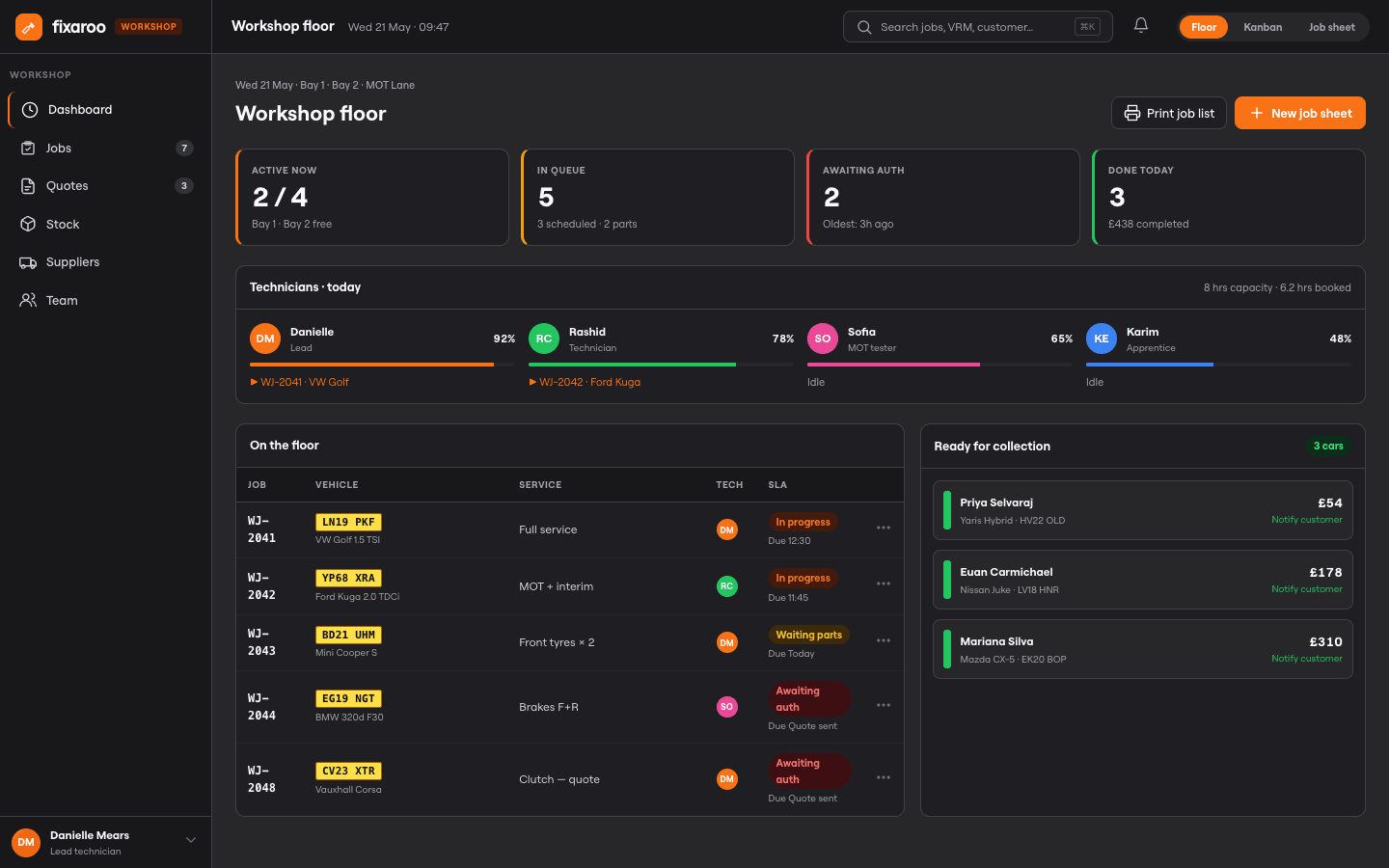
Digital jobsheets
Log work in seconds, not minutes
MOT tracking
Pass, fail, advisory — clear at a glance
Customer reports
Email or QR, your customer always gets their report
Starter access
After you claim and Subscribe Starter — not free with every partner
Log in, log a job, send the report
No training, no new account. Same login as your Fixaroo partner page. Get on with it.
Log in with your Fixaroo account
Same email and password as partners.fixaroo.co. Nothing new to sign up for.
What you'll need
- Active Fixaroo partner account
- A garage location set up on partners.fixaroo.co
- Any tablet, phone, or desktop browser
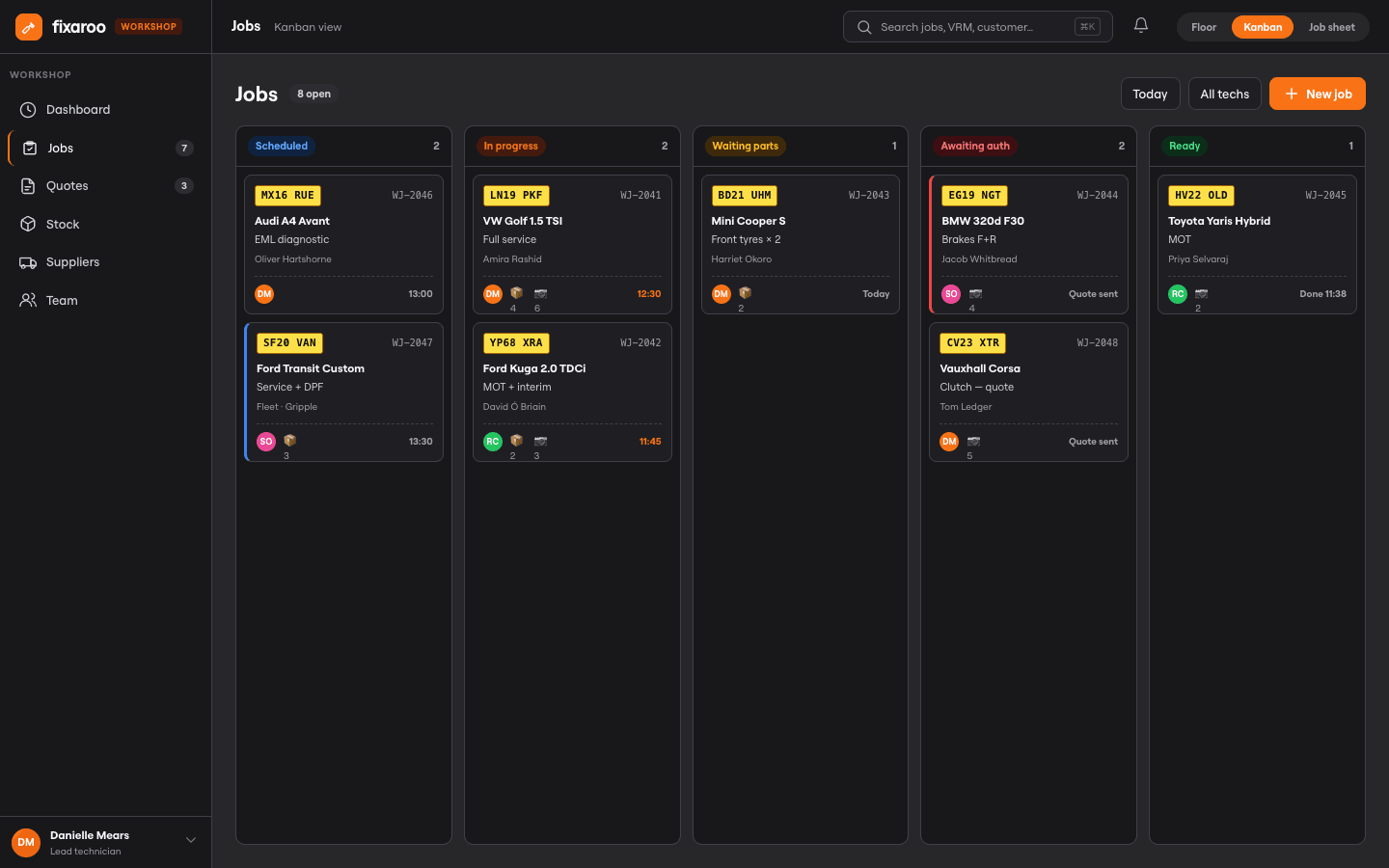
Open a new job
Drop the reg in, make/model/year fill themselves. Pick the job type, date, technician on it.
Fill in the jobsheet
Labour, parts, inspection items. MOT? Pass, fail, or advisory in one tap. Done.
4-step form
- Vehicle & customer details
- Labour, parts & line items
- Uploads (certificates, photos)
- Review & send
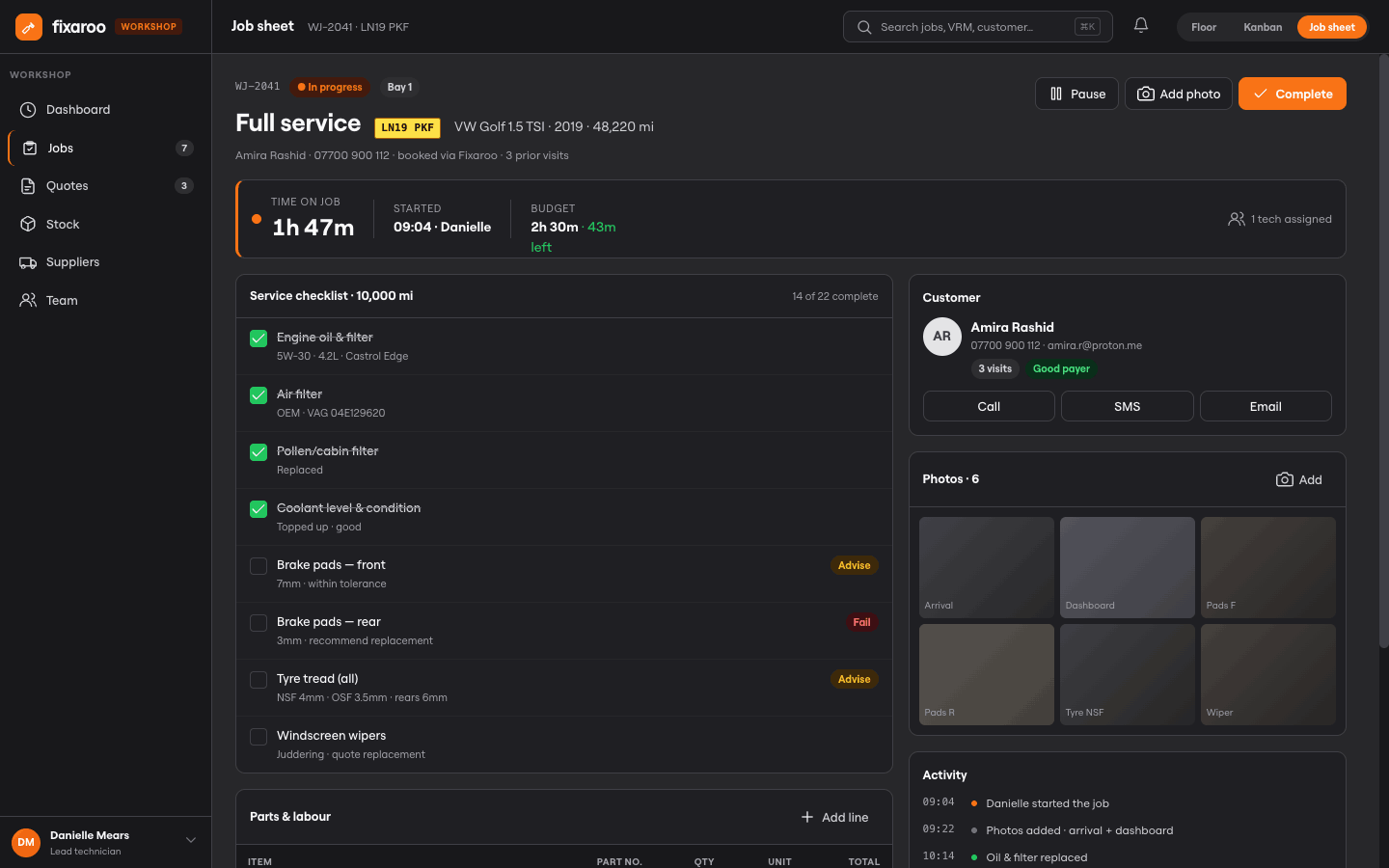
Send the report
Job done, send the report. Email or QR. Customer sees it on their phone or prints it.
Built for the bench
Big buttons, oily-finger friendly. Works on a phone or laptop too, but the tablet's where it lives.
Dashboard
Today's jobs at a glance. Total, in-progress, complete, reports sent — all on one screen when you walk in.
MOT checks
Mark every check as pass ✓, fail ✗, or advisory ⚠. Failures stand out immediately with a red border on the row.
Vehicle lookup
Enter the reg plate and make/model/year auto-fills from Fixaroo's vehicle database. Saves time, reduces typos.
Customer reports
Send a branded report to the customer's email, or generate a shareable link they can access any time.
Reception QR
Print a QR code for your reception desk. Customers scan it, enter their reg, and get their latest report instantly.
Job history
Full paginated job history with filters by status, type, date, and technician. Managers can export to CSV.
MOT results that speak for themselves
No more ambiguous handwriting on a sheet. Each check is clearly marked pass, fail, or advisory — and failures immediately stand out with a red border, so technicians and customers can't miss them.
- ✓ One-tap pass/fail/advisory per item
- ✓ Failures highlighted in red
- ✓ Advisories in amber
- ✓ Auto-included in the customer report
MOT Inspection — AB12 CDE
Fixaroo Workshop
Sign in with your partner account
Claimed shops on Starter can sign in
Jobsheets are not free to anyone and not included with every partner listing. After you claim and Subscribe Starter, sign in with the same email and password.
Don't have a Fixaroo account? Claim your listing →
Common questions
Jobsheets are on Subscribe Starter after you claim. They are not free to anyone, and not included with every partner listing.
Any team member with a business_users account associated with your garage can sign in at workshop.fixaroo.co using their Fixaroo partner credentials.
Yes — when you complete a job, you can send the customer a branded report by email. They can also scan a QR code at your reception to view their latest report online.
Yes. The workshop portal is designed for tablets and phones — large touch targets, readable text, and a mobile-first layout. Works well on an iPad propped on the workbench.
You can upload MOT certificates, service sheets, and photos per job. File upload support requires the Spatie Media Library package — your account manager can help enable this.
No. Log as many jobs as you like.
Open the workshop portal
Sign in after you claim and Subscribe Starter. Jobsheets are not free with every partner listing.
Claiming is free. Jobsheets are on Starter at £39.00/month — new garages get the first 2 months free, no card needed. We do not run silent trials — any free period is offered in writing, with its end date.